
One teammate forwards a signed term sheet. Another gets a founder's monthly update. A board deck lands ahead of Thursday's meeting, sent to whoever happened to be on the distribution list.
Three documents, three inboxes, and nothing connecting them.
Vestberry's Email Inbox gives your fund one address for all of it, with a direct option to extract and summarise the emails with AI.
Extract KPI reports, board decks, cap tables and everything in between straight from email
Forward almost anything portfolio or deal-related to it: KPI reports, board decks, financial statements, cap table updates, investment documentation, investor communications. It appears inside Vestberry, ready for your team to work with, whether it's a founder's update or a term sheet from a live deal.
From inbox to structured data, without leaving the message
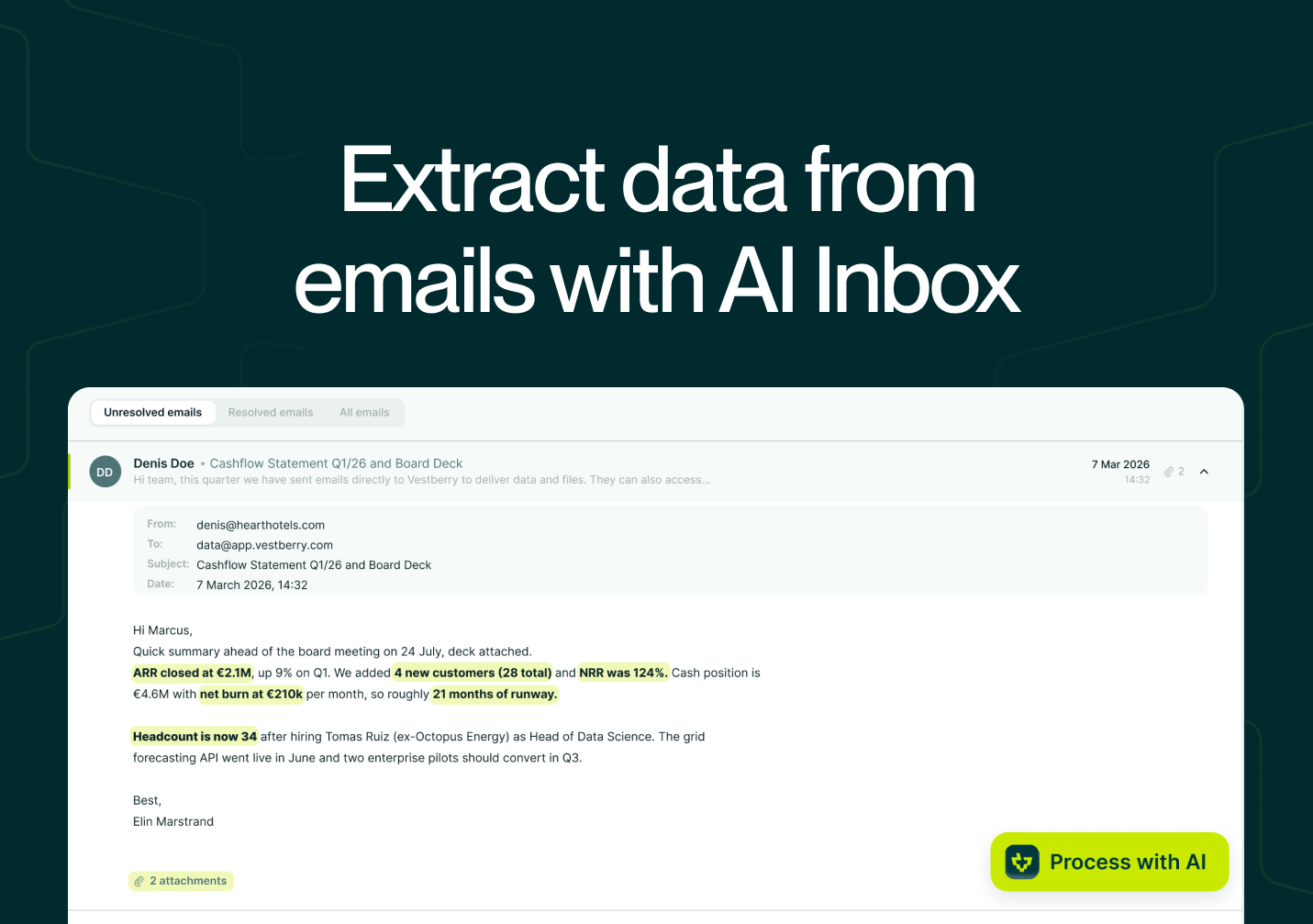
An attachment in the Email Inbox can go straight into AI Extractions, the same engine that handles KPI reports, priced rounds, debt rounds and cap tables uploaded anywhere else in Vestberry. There's no download, rename, re-upload cycle in between. The file arrives already sitting where extraction happens.
From inbox to a written note, for decks and for the email itself
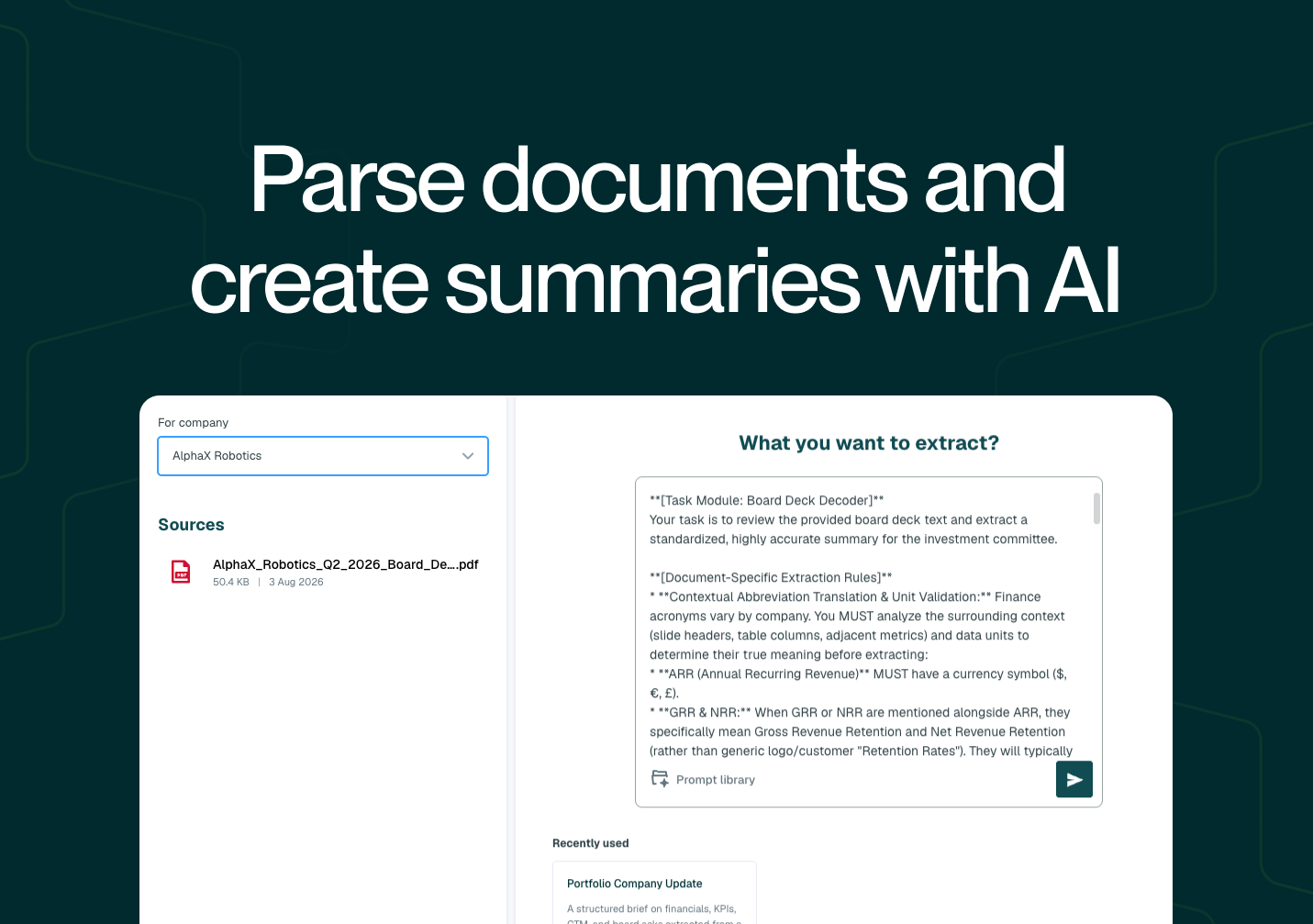
Attachments can also go through AI Document Summary, turning a board deck or IC memo into a structured company note in the same few clicks as anywhere else in the platform.
The same capability extends to the email itself. A founder update written straight into the message body, corrections and all across a multi-reply thread, can be summarised directly from the inbox view, with the AI built to follow a thread's corrections through to the final, agreed version rather than the first message.
Built around one email address you control
An Allow List keeps the inbox a trusted channel. Only approved senders or domains can reach it, and nothing that arrives is processed automatically. Every email and attachment waits for someone on your team to review it before any extraction or summarisation runs.
Centralising intake this way doesn't change who makes the call on what enters your records. It just means the documents that matter aren't scattered across whoever's personal inbox happened to receive them.
Want to see how your team's inbox traffic could flow through Vestberry? Get in touch for a walkthrough.
FAQ
What kinds of documents can go through the Email Inbox? KPI reports, board decks, financial statements, cap table updates, investment documentation and investor communications, as either attachments or plain email text.
Can the Email Inbox do more than just collect documents? Yes. Attachments and email bodies can be sent directly into AI Extractions or AI Document Summary from within the inbox, without downloading anything first.
Does the Email Inbox process incoming emails automatically? No. Every message and attachment requires manual review before any data is extracted, summarised or imported.